|
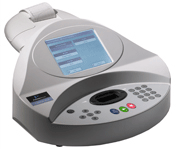
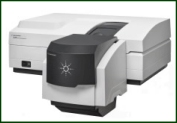
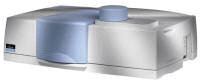
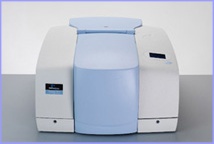
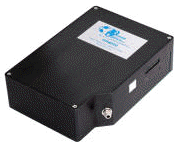
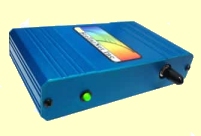
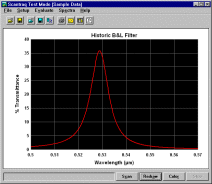
Scantraq controls and acquires data from Perkin Elmer, Agilent
(HP, Cary), Ocean Optics, etc. Scantraq
provides a powerful, flexible and well-supported alternative to the
software
supplied by instrument manufacturers.
With minor
modification, such as Absorbance axis instead of
Optical Density. Scantraq is the same as FilmStar
MEASURE and was renamed for marketing purposes. All MEASURE
capabilities discussed on this site refer also to Scantraq. |
|
 |
Scantraq LT supports
Lambda 2 through 45
spectrophotometers as well as Lambda
Bio/XLS,
Ocean Optics,
StellarNet, Agilent
(HP) 8453,
and Cary 1-3 (100-300). Please contact us for further information. |
|
Why buy
Scantraq when you already have PerkinElmer or Cary
software?
|
 |
YouTube Demos
-
One
Program - Many Instruments. Why run 3 programs
for 3 instruments when all can be controlled by Scantraq (1:17)?
-
Why
Scantraq? Automation! That's why! See how Scantraq
interfaces with ancillary hardware and software (like
Excel) (2:03).
-
Graph
Automation. Graphics for quality assurance and reports that far
exceed the capabilities of instrument manufacturers' DAQ software
(2:48).
|
The instruments listed below are
directly supported. Scantraq users can run all; i.e. there is no additional charge
for running a Lambda 900 and Cary 500 from the same computer. Please contact us
for information about other models. Scantraq can also be utilized with other
instruments as
described here.
We are often asked about Shimadzu and Hitachi.
Despite requests from their own sales teams, management
refuses to document control codes and/or drivers. (Our
Hitachi support is only for legacy models.) We recommend
that you buy their instruments only if pleased with the
current capabilities of Shimadzu's UVProbe or
Hitachi's UV Solutions. While unable to
provide automation support, Scantraq can
import
and convert spectral data files.
|
| Agilent (HP,
Varian) |
8453 Diode-Array (GPIB, serial/USB, LAN);
Cary 50/60, 1-5, 100-500, 4000-6000i, 7000 (UMA ).
Click here to
learn more. |
| Hitachi |
Legacy U-3210, U-3410 (3200/3400)
only. |
| Nicolet |
Models supported by
OMNIC. Click here for video demo. |
| Ocean Optics |
Models supported by
OmniDriver. Click here for
video demo. |
| PerkinElmer
|
Lambda
2/10/12/14/20/40/25/35/45, 9, 650-1050 (URA, TDM); 580B-983G (IR);
Spectrum
One, Spectrum 100, Frontier Optica;
Lambda 16-19 |
| StellarNet |
Instruments supported by SpectraWiz.
Further information. |
|
|
|
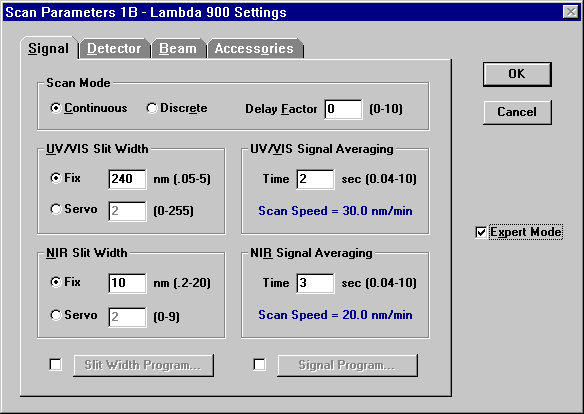
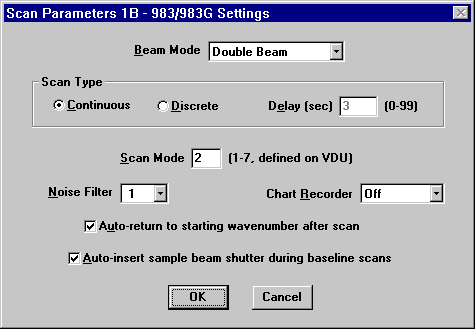
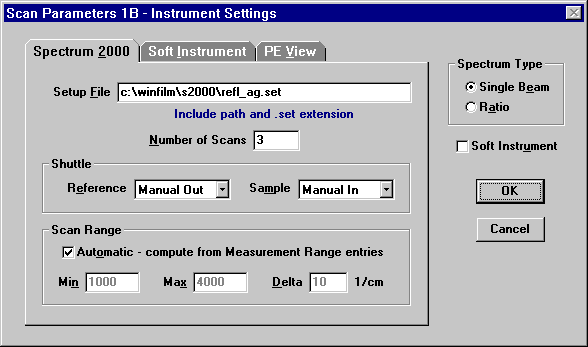
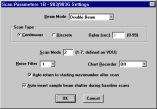
PE Lambda 900 Settings
PE 983G Settings
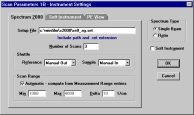
PE Spectrum GX (2000) Settings
|
Instrument Settings
Scan methods are
edited in Scantraq and uploaded as required. While application software supplied by spectrophotometer
manufacturers is not run during Scantraq operation, there are cases where
manufacturer's driver software and FTG servers
are utilized:
- Perkin-Elmer's Spectrum software (32-bit
Windows) is required
for legacy GX (2000) initialization and setup. Configurations are stored as Setup
Files (*.set). The name of the setup file is subsequently specified in
Scantraq. Since Scantraq can change scan range, only a few Setup Files are
required in practice.
-
Click here for information about PE Spectrum FTIR. Spectrum Express
users are advised to update to Spectrum 10.
- Click
here for information about Ocean Optics. Nicolet is supported via
commands sent to OMNIC software.
- Agilent's WinUV is required for Cary operation. Only a minimum installation (Cary System + Scan
application) is needed.
- Perkin Elmer's UV Winlab 6.04 or newer is
required for Lambda 650-1050 operation with Universal Reflectance Accessory
or Triple Detector Module.
Perkin-Elmer Lambda 16/18/19 is supported on
32-bit Windows XP/Vista/7
via a PCI board and custom cable. Click
here for important details. While the Agilent 8453 version supports
IEEE-488/LAN/RS232, it must be tested before
purchase.
|
|
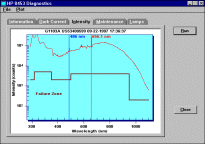
8453 Lamp Intensity Test
|
8453 Diagnostic Capabilities
The
Agilent (HP) 8453 version of Scantraq adds diagnostic capabilities.
This reduces or eliminates the need to use ChemStation software for diagnostic
purposes. Unlike ChemStation, Scantraq supports the 8453's serial (USB)
interface as well as LAN. It also supports NI GPIB, but this offers
no advantage for most users.
As mentioned above, this version must be tested
before purchase. |
Program Modes
Scantraq supports absorbance, 'V' and 'VW' reflectance modes.
Wavelength units include Angstroms, nm, microns, and 1/cm. Data file types: Sample,
Baseline (blocked sample beam, usually 0%), Reference (open sample beam, usually 100%),
and 'NIST' Standard files. Data files may be loaded from disk, scanned or replaced by
constants as appropriate. For ease of use Baseline, Reference, and Standard spectra need
not have the same wavelength spacing as Sample data. During data acquisition results are
plotted on-screen in spectrophotometer units (0-100%); final reduced values are displayed
in physical units. |
Scan Range
Scan Range is defined by three wavelength or
wavenumber values: minimum, maximum and interval. In addition a Wave (length/number) List
can be specified. The Wave List is useful for spectra with differing characteristics in
different bands, i.e. blocking in two regions and transmission in another. The Wave
List is also useful for devices whose specifications are defined at particular laser
wavelengths. Infrared instruments which actually scan in wavenumbers (1/cm) can appear to
scan in wavelength (nm or microns). |
|
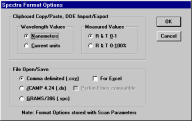
Spectra Format Options
|
Spectra Data Format
There are four formats for measured data files:
- .csv, comma-separated values
- .dx, J-CAMP spectroscopy format
- .spc, Galactic Industries GRAMS format
- .xls,
Excel (Excel not
required)
|
Going
beyond its friendly Windows point and click interface, Scantraq includes
programmable development modules for automation, user-defined procedures, calculations, graphs and
reports. The optional Scantraq Database provides industry-standard (MS
Access-compatible) database technology including SQL.
|
Scantraq BASIC |
An interpreter with syntax highly compatible with
Microsoft VBA.
Includes dialog editor, interface to user-developed DLL's, DDE, 32-bit Windows objects
browser. BASIC Automates all other modules in the Development System. |
|
Scantraq Workbook |
An Excel-compatible spreadsheet for calculating spectral functions. |
|
SQPlot Module |
Publication-quality annotated graphs for measured spectra |
|
Report Generator |
Previews and prints reports combining text, calculated results, and
graphics. |
|
Scantraq Database |
Use FileMaker Pro to sort and select spectral data.
MS Access compatible support also provided. (optional) |
|
Automation |
Client-server integration with other Windows applications.
|
|
Film Thickness
Module
|
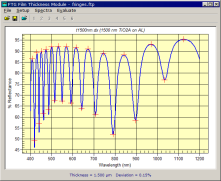
Fringe counting for
moderately thick films
|
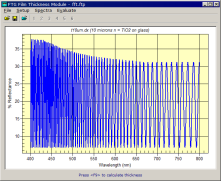
FFT method for
very thick films
|
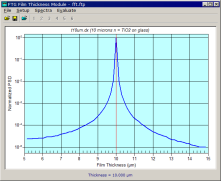
FFT verification
window |
|
The Film Thickness Module
enables users to quickly and automatically obtain film thickness in cases where
films are thick enough to display fringes. Fringe counting and FFT
algorithms are available.
Applications include lacquers and similar coatings. While film index must be known
with reasonable accuracy, the substrate index is not required.
A calibration routine compensates for any resulting errors.
The program is intended as an industrial tool and runs
standalone or as ActiveX client or server. It includes Scantraq
BASIC and can run Scantraq or be run from Scantraq. It can be
used directly with our Ocean Optics ActiveX servers. It provides smoothing
algorithms for dealing with noisy spectra.
|
|